Create a service account (API credentials)
A service account is a client_id + client_secret pair your own bot, bridge, or integration
authenticates with directly (grant_type=client_credentials against Keycloak) instead of a browser
session — no human sign-in involved on that side at all. This is the self-service version of the same
pattern webconference-bridge’s own M2M credential
already used platform-side; now any account can mint its own without asking an operator to hand-create a
Keycloak client.
Everything below is checked directly against the source (crates/control-plane/src/service.rs’s
authed_service_account_router, crates/control-plane/src/portal_api.rs’s
service_accounts_section_html) and click-tested live against bunsenbrenner.org with the docs-test
account — including a real client_credentials token exchange against Keycloak and a real authenticated
call with it, not just the portal UI round trip.
1. Create one
bunsenbrenner.org/portal/account, Service accounts (API credentials) section — give it a name (yours to label it by; not sent anywhere else) and click Create service account:
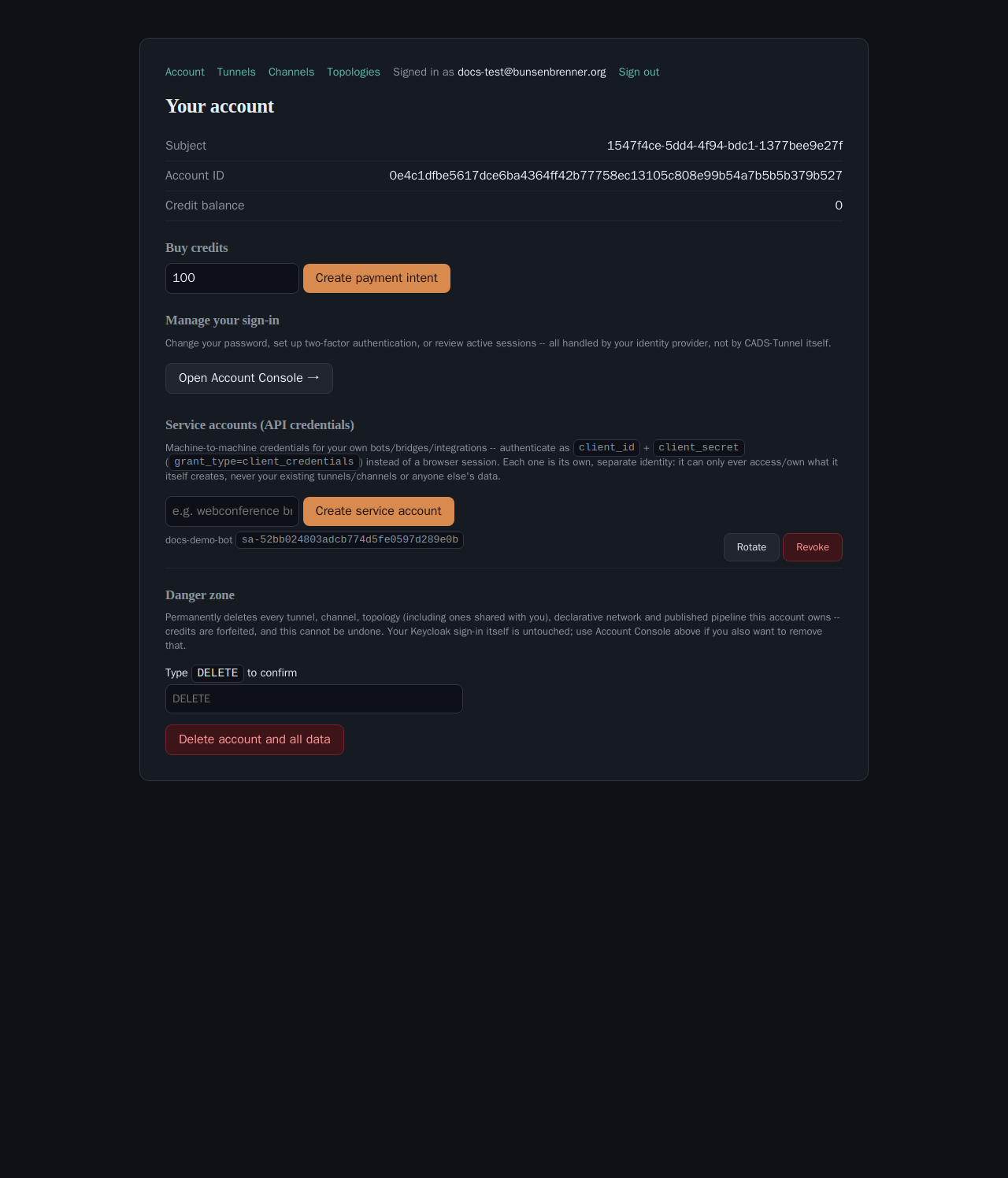
/portal/account is the one place all of an account's self-service controls live.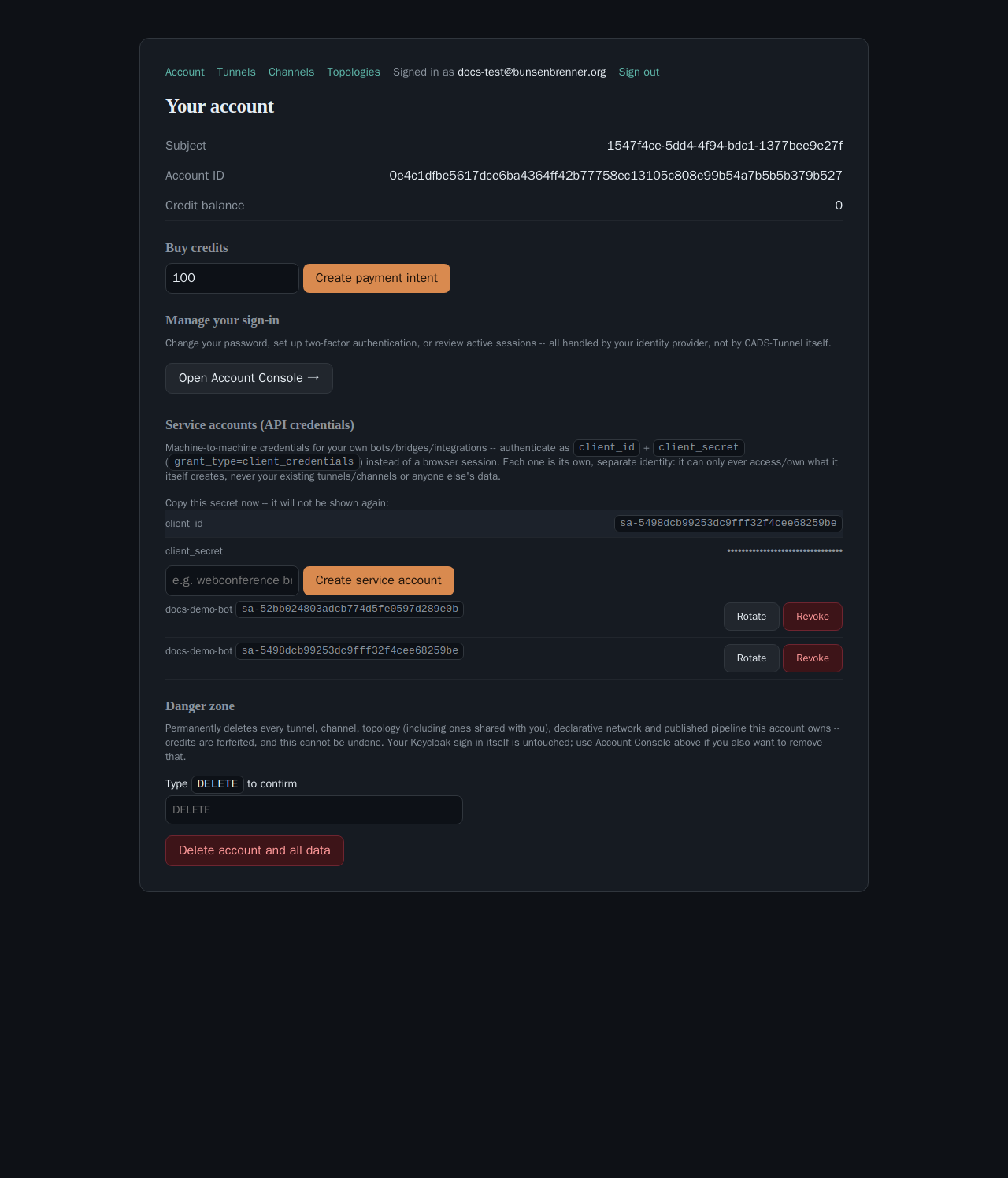
Equivalently, from your own machine (see
Getting a bearer token without a browser
for $TOKEN):
curl -X POST https://bunsenbrenner.org/me/service-accounts \
  -H "Authorization: Bearer $TOKEN" -H "content-type: application/json" \
  -d '{"name": "my bridge"}'
{"client_id": "sa-<32 hex>", "secret": "<Keycloak client secret>"}
client_id is server-generated (sa- + 16 random bytes hex) — never user-supplied, so there’s no
injection or collision surface to think about on your end. Up to 50 service accounts per account
(MAX_SERVICE_ACCOUNTS_PER_SUBJECT); the create call is genuinely race-safe at that boundary — two
concurrent creates from the same account can’t both sneak in as the 50th (record_if_under_limit, closes
a real TOCTOU window found live 2026-08-24).
2. Use it — a real, separate identity
The credential authenticates as its own Keycloak client via the standard OAuth2 client-credentials grant:
curl -X POST https://auth.bunsenbrenner.org/realms/ct-demo/protocol/openid-connect/token \
  --data-urlencode "client_id=sa-<yours>" \
  --data-urlencode "client_secret=<yours>" \
  --data-urlencode "grant_type=client_credentials"
returns a normal access token, usable on /me/* exactly like a portal session’s bearer token. Confirmed
live for this page:
curl -H "Authorization: Bearer $SA_TOKEN" https://bunsenbrenner.org/me/service-accounts
# -> [], HTTP 200
That empty list is the point, not an error: a service account is its own, separate identity — it can
create/own its own tunnels, channels, service accounts, etc., but starts with none of yours, and can never
see or touch anything your human sign-in owns. If a bot only needs to do one narrow thing (e.g. call
/me/channels for a single channel), mint it its own service account rather than handing it your own
session’s bearer token — the blast radius of a leaked credential is then just what that service account
itself was ever given, not your whole account.
3. Rotate or revoke
Rotate (POST /me/service-accounts/:client_id/rotate) mints a fresh secret for the same client_id —
the old secret stops working immediately, no grace period. Same one-time-reveal UI as creation.
Revoke (DELETE /me/service-accounts/:client_id) deletes the real Keycloak client outright — instant,
irreversible, no soft-delete. Both are owner-scoped: confirmed live that another account’s client_id
comes back 404 for either call, not 403 — deliberately indistinguishable from “doesn’t exist,” so
probing a client_id you don’t own learns nothing.
Full endpoint reference: API endpoints.